









Displaced Terrains in mental ray
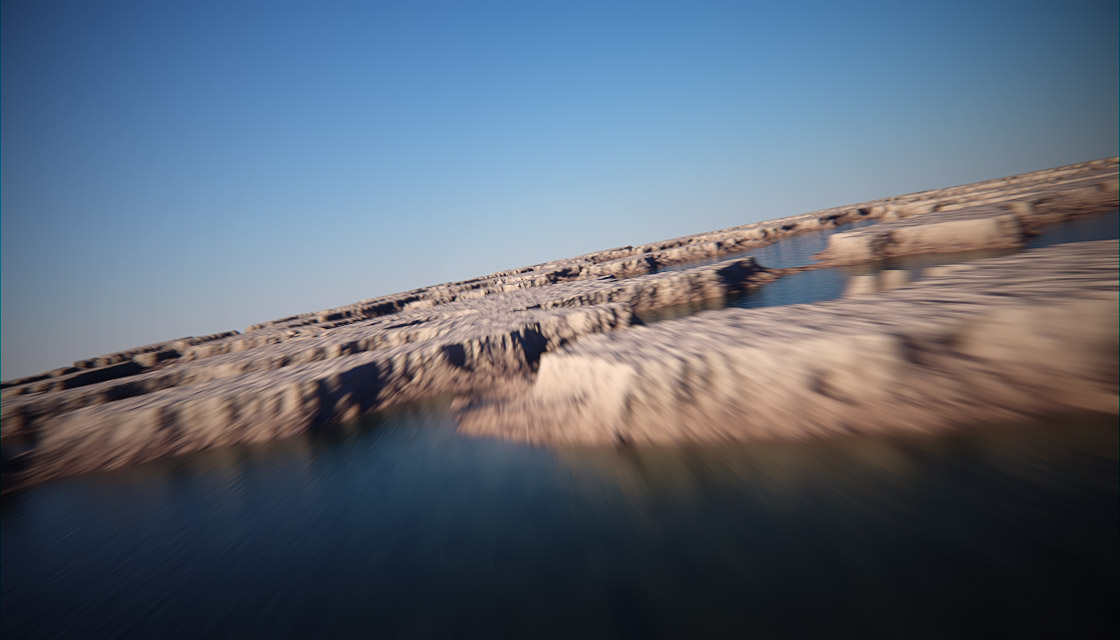
Some people have asked for more information on an example displacement terrain scene I created. So, here's a little breakdown on the process & tools used:
Example render (click to enlarge)
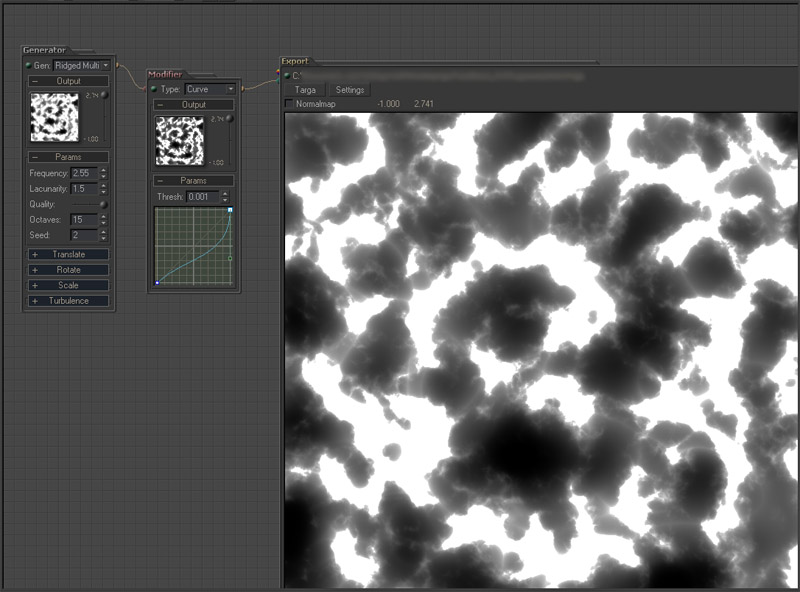
First, I used a program called gwTerraNoise to create the displacement map. It's very easy to use and provides some excellent results, here's a link to the download site:
http://www.guruware.at/main/index.html
I used a Rigid-Multi generator in combination with a curve modifier to create a basic landscape pattern and then I saved the image as a 32-bit TGA file.
Note: gwTerraNoise (click to enlarge)
I then plugged the black&white TGA file into a height map displacement map on an A&D material.
Displacement (click to enlarge)
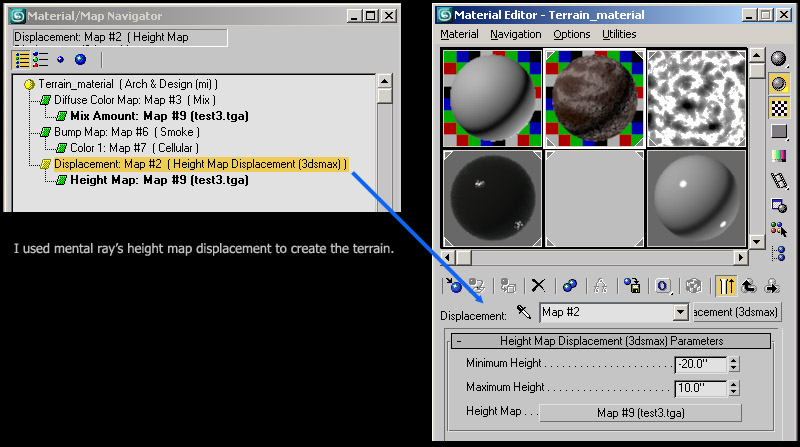
Note: For more info on the height map displacement map, I have an older tutorial here:
http://jeffpatton.net/MR_Grass_Displacement.htm
I also used the black & white TGA file in a mix map to blend some color into the terrain. I used a darker color for the lower areas (black sections of the .TGA file), and a light color for the higher areas (white sections of the .TGA file).
Diffuse map (click to enlarge)
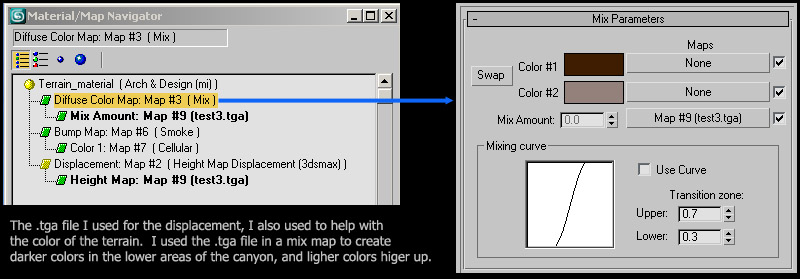
Note: I also used a bump map on the A&D material to create some smaller details. I used a smoke procedural map for this bump.
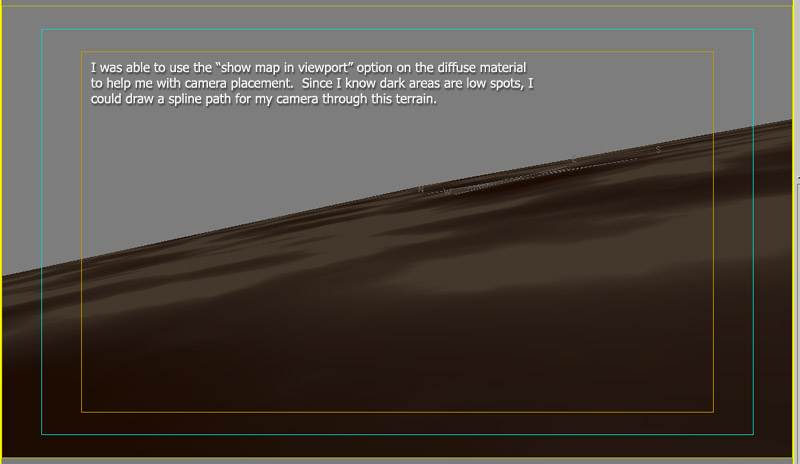
Finally, since I used the B&W displace map as a color mixer for the diffuse component of my material, I was able to use the "show map in viewport" button to help distinguish where to place my camera since the displacement happens at render time, and not in the viewport.
Viewport (click to enlarge)
NOTE: I haven't forgotten about the remaining parti-volume documents. I'm afraid it'll have to wait until I get back from SIGGRAPH. Right now I have to focus on getting a few projects completed before the show as well as preparing my masters class presentation.
Blog entries may be discussed in the 3DA forums HERE